

Key Takeaways
Why the Right Accessories Actually Matter
Most people spend more time thinking about which computer to buy than how they'll actually use it every day. But once you're sitting at a desk for six, seven, or eight hours, the setup around your machine matters just as much as the machine itself.
This isn't about buying more stuff. It's about identifying the few things that genuinely change how your body feels and how clearly you can focus. Whether you're working from a laptop or a desktop — and if you're weighing that choice, see our framework for thinking through laptop vs. desktop — the accessories below address real friction, not imagined problems.
Start With What Hurts First
Rather than overhauling your entire desk at once, identify the single biggest physical complaint you have after a long workday — neck ache, wrist fatigue, eye strain, or cable chaos — and address only that. One targeted accessory used consistently will deliver more value than several items added all at once and used inconsistently.
Accessories Worth Adding to Your Desk
An External Monitor at the Right Height
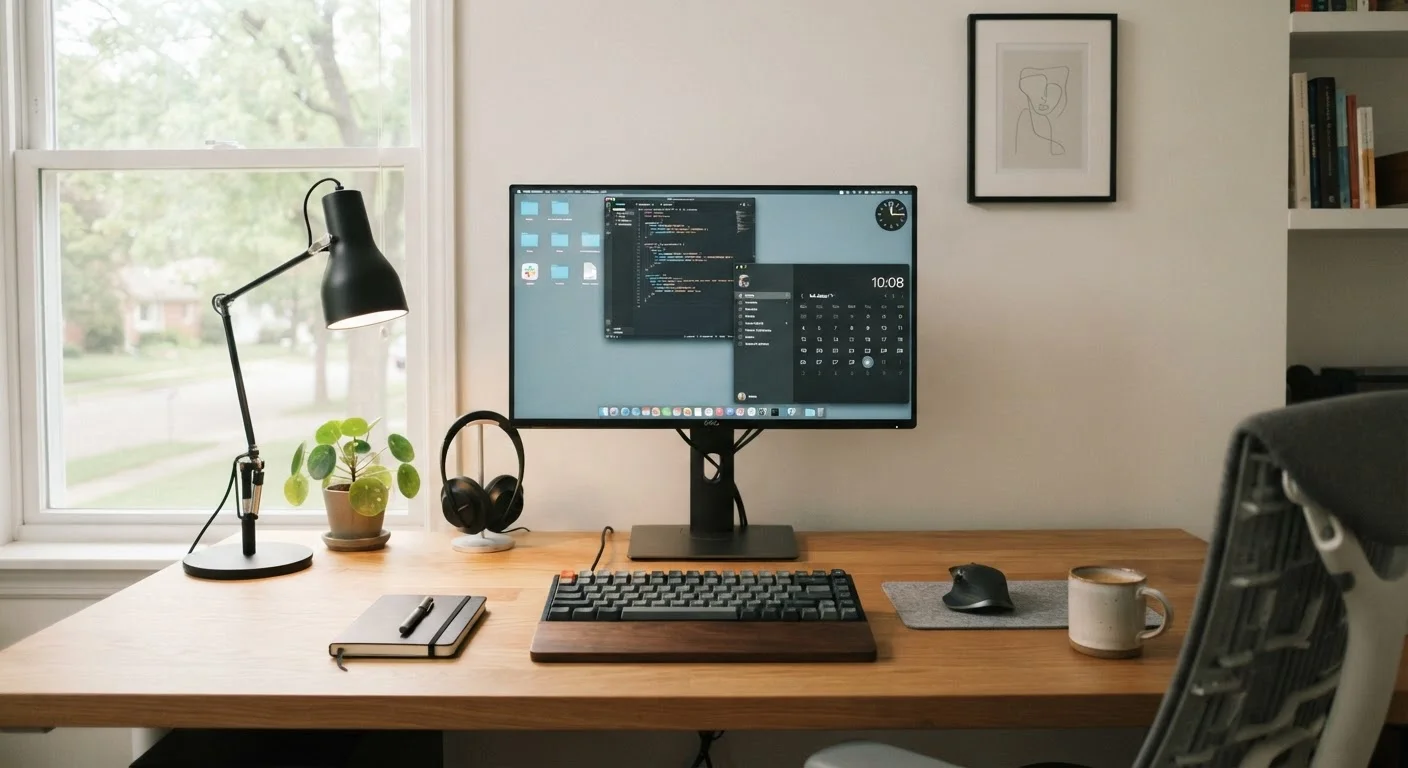
If you're working from a laptop and staring down at a low screen all day, your neck is absorbing that angle for hours. An external monitor — or even a monitor riser for a desktop display that sits too low — can bring the top of the screen closer to eye level, reducing the chronic downward tilt that strains your cervical spine.
The general guideline is to position the top of the screen at or slightly below eye level when you're sitting in your normal posture. You shouldn't have to tilt your head up or down noticeably to see the center of the screen.
A monitor at eye level is one of the simplest ways to reduce neck strain over a long workday.
A Separate Keyboard and Mouse
Laptop keyboards are fine for short bursts of typing, but the built-in placement forces your arms into an unnatural position over time. A separate keyboard lets you set your hands where your arms naturally rest, keeping your wrists in a neutral position. Combined with a dedicated mouse — positioned close to the keyboard — this can reduce tension in the forearms and shoulders noticeably.
You don't need an ergonomic-specific design to benefit. Even a standard flat keyboard placed at the right height helps more than the laptop keyboard pushed to the back of a desk.
Positioning a separate keyboard where your arms naturally rest is more important than any special ergonomic shape.
Thoughtful Desk Lighting
Eye strain during screen work often comes from contrast — a bright screen against a dark room, or harsh overhead light creating glare on your display. A desk lamp with adjustable brightness and a warm-to-neutral color temperature helps balance the light in your immediate work zone without turning your whole room into an interrogation room.
Position the light source to the side rather than directly behind or in front of your screen. This prevents reflection on the display and reduces the squinting that builds up quietly over a long session.
Glare and contrast — not just brightness — are the main culprits behind screen-related eye fatigue.
A USB Hub or Docking Station
Modern laptops have fewer ports than most people need. If you're regularly plugging in a mouse, keyboard, external drive, and charger, you're either rotating cables constantly or working with a tangled compromise. A USB hub — or a docking station if you want a single-cable connection that also charges the laptop — solves this quietly but effectively.
The practical benefit isn't just convenience. Reducing the daily friction of connecting and disconnecting devices means your setup is more likely to stay tidy, and tidy setups tend to support focus better than cluttered ones.
A single-cable docking connection can eliminate the daily cable shuffle that quietly wastes time and mental energy.
A Chair or Cushion That Supports Your Sitting Posture
This one sits outside the strictly "tech" category, but no amount of monitor adjustment or keyboard placement compensates for sitting in a way that rounds your lower back for hours. Lumbar support — whether from a chair with proper contouring or an add-on cushion — keeps the natural curve of your spine intact and reduces the fatigue that accumulates in your lower back by midday.
If a new chair isn't realistic, a firm lumbar cushion placed at the curve of your lower back on your current chair is a low-cost starting point worth trying before more expensive interventions.
No ergonomic keyboard or monitor adjustment fully compensates for a chair that lets your lower back collapse.
A Wrist Rest for Typing and Mouse Use
Wrist rests are often dismissed as optional, but for people who type for extended periods, keeping the wrist in a neutral position — rather than bent upward to reach keys — can meaningfully reduce tension in the forearm tendons over time. A wrist rest supports the heel of your palm during pauses, not while actively typing.
The key distinction: a wrist rest isn't meant to be pressed down on while you type. It's a resting position between bursts of input. Used that way, it reduces cumulative strain rather than adding to it.
A wrist rest supports your palm during pauses — not while typing — and that distinction makes all the difference.
Making Smart Choices Without Overspending
You don't need to upgrade everything at once. Start with whichever issue bothers you most during the workday — neck pain, wrist ache, cable mess, or eye fatigue — and address that first. A single well-chosen accessory often delivers a noticeable improvement in how a session feels.
It's also worth thinking about how notifications and screen habits interact with your setup. Even the most ergonomic desk won't help focus if your devices are constantly pulling your attention — something worth considering alongside any hardware changes. See how always-on screens affect focus and battery life for a useful perspective.
The goal is a workspace that reduces friction rather than adding to it. A few deliberate additions — chosen for your actual habits, not a magazine photo — can make a meaningful difference in how you feel at the end of the workday.