

Key Takeaways
Option A
Smart Speaker
The voice-first, audio-focused assistant.
Best for: Listeners and hands-free users who primarily want music, quick answers, and smart home control without a visual interface.
Option B
Smart Display
The screen-equipped, visually interactive assistant.
Best for: Anyone who benefits from seeing information — recipes, video calls, weather maps, or a glanceable home dashboard.
If you mostly want music, timers, and quick voice answers
Smart Speaker
A smart speaker handles all of that cleanly without the extra cost or footprint of a screen.
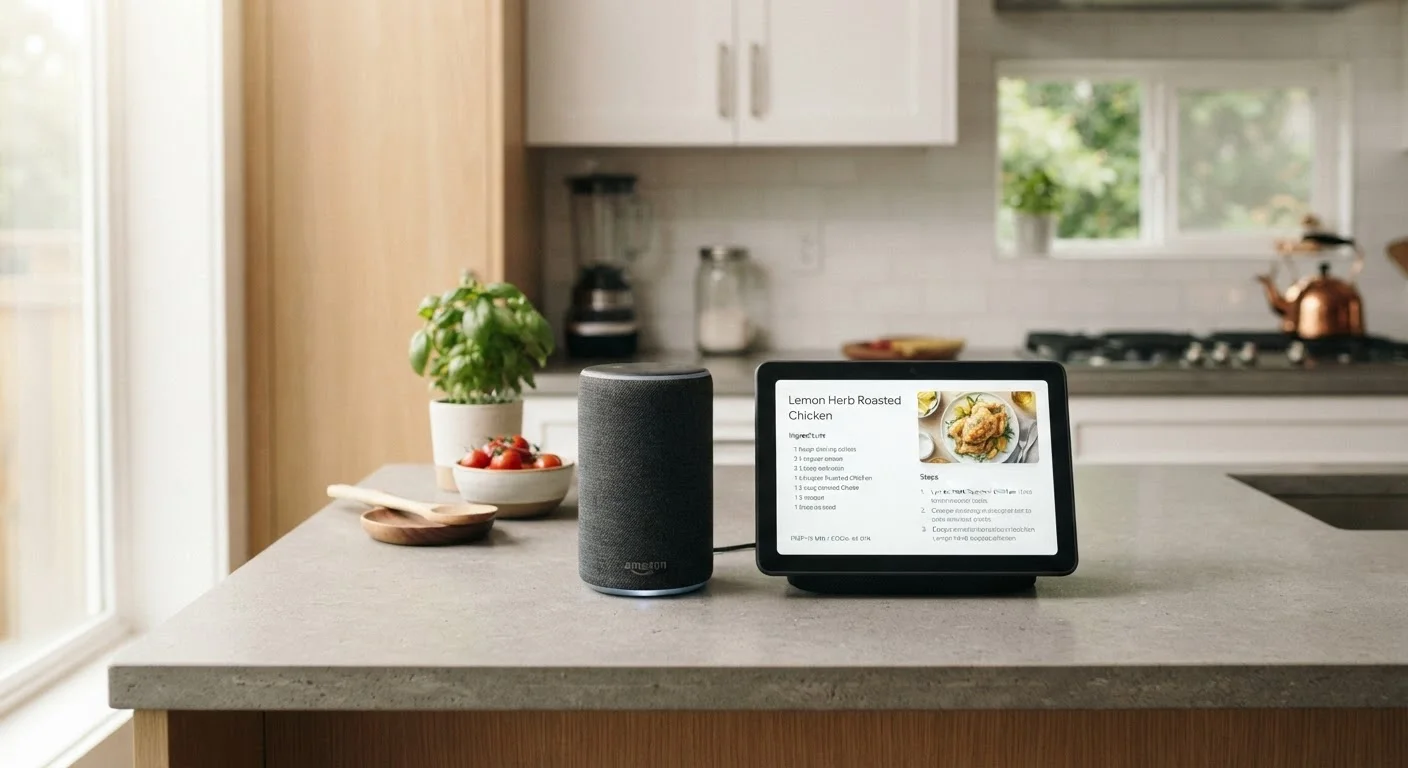
If you cook regularly and want to follow on-screen recipes
Smart Display
A screen lets you see step-by-step instructions hands-free, which a voice-only device simply can't replicate as effectively.
If you want to make video calls from your kitchen or bedroom
Smart Display
Video calling requires a camera and screen — smart speakers don't support this at all.
If counter space is limited and budget is tight
Smart Speaker
Smart speakers are more compact and generally less expensive, making them practical for smaller spaces.
If you want a glanceable home dashboard showing calendar, weather, and cameras
Smart Display
The persistent screen turns idle time into useful ambient information — something a speaker can't provide passively.
What Each Device Actually Is
Smart speakers are voice-activated devices that respond to spoken commands. They play music, answer general questions, set timers, control compatible smart home gadgets, and relay information through audio alone. There's no screen — everything comes back as spoken response or sound.
Smart displays do all of that, but add a built-in touchscreen — typically ranging from about 7 to 15 inches depending on the model. That screen isn't just decorative. It allows the device to show you things: a recipe card, a weather map, a live camera feed from your doorbell, or a video call with a family member.
Both categories use voice assistants — Amazon Alexa, Google Assistant, or others depending on the device — and both connect to your home Wi-Fi. The core difference is whether information can only be heard, or also seen. For a deeper look at how these devices fit into a broader smart home setup, see how ecosystems affect which devices work together.
Where the Screen Makes a Real Difference
The practical gap between these two device types widens in specific situations. Consider cooking: when you ask a smart speaker for a recipe, it reads the steps aloud — which is helpful but requires you to remember each step or keep asking. A smart display shows the recipe on screen, advances through steps on voice command, and stays visible while your hands are busy. That's a meaningful upgrade for anyone who cooks regularly.
Video calling is another clear dividing line. Smart speakers generally can't support video calls at all. Smart displays typically include a front-facing camera, enabling video calls to other supported devices or contacts. For older adults living alone or families spread across time zones, this feature alone can justify the extra cost.
Smart displays also function as ambient dashboards. When idle, many show the time, upcoming calendar events, weather, or a rotating photo slideshow. A smart speaker offers none of this — it's silent and blank unless you speak to it. For more on deciding what deserves counter space in your home, see what earns its place on your counter.
| Criterion | Smart Speaker | Smart Display |
|---|---|---|
| Screen | None | Touchscreen (7"–15") |
| Video calling | Not supported | Supported with camera |
| Recipe display | Audio only | Visual step-by-step |
| Ambient dashboard | No | Yes (clock, weather, photos) |
| Typical footprint | Small, flexible placement | Larger, needs line of sight |
| Audio quality (relative) | Often better at same price | May trade off for screen |
| General cost | Lower | Higher |
| Smart home control | Voice commands | Voice and touch controls |
Where a Smart Speaker Holds Its Own
The screen advantage isn't universal. In a living room centered on music listening, a smart speaker often sounds better than a same-priced smart display — manufacturers sometimes trade audio quality for display hardware within a given price range. If audio fidelity matters to you, it's worth comparing speaker specs directly rather than assuming more features means better sound. Our guide to home audio types and connections explains what speaker specs actually mean.
Smart speakers are also simpler to place. Their compact, cylindrical form fits easily on a bookshelf, nightstand, or small countertop corner. Smart displays need to face you and be positioned at a comfortable viewing angle — they're less flexible in tight spaces.
Finally, if most of your smart home interaction is purely voice-driven — turning lights on, locking doors, checking the thermostat — you may never meaningfully use a screen. Paying extra for a feature you rarely use rarely makes sense. See how smart lighting and smart switches compare for more on voice-controlled home automation.
Ecosystem Fit and Room Placement
One underappreciated factor: your existing smart home ecosystem. If your home runs on Amazon Alexa-compatible devices, a Google-based display may not control them as smoothly — and vice versa. Before buying either device, take stock of what you already own. A room-by-room smart device guide can help you map where each type of device tends to add the most value.
Room placement also shapes the decision. Kitchens and bedrooms tend to benefit most from smart displays — cooking and morning routines involve a lot of visual information. Living rooms and offices, where audio is the primary use case, often work fine with a speaker alone. If you're outfitting multiple rooms, a mix of both device types is often the most practical approach rather than going all-in on one format.
Ecosystem Compatibility Still Matters
Smart speakers and smart displays are typically tied to a specific voice assistant platform — Amazon Alexa, Google Assistant, or Apple Siri. The device you choose should match the ecosystem your other smart home devices use. A mismatch won't break everything, but it can limit how smoothly devices communicate. Check compatibility before buying, especially if you already own smart bulbs, locks, or a thermostat.