

Everyday Tech

Before You Automate Your Home: A Room-by-Room Planning Checklist

Share
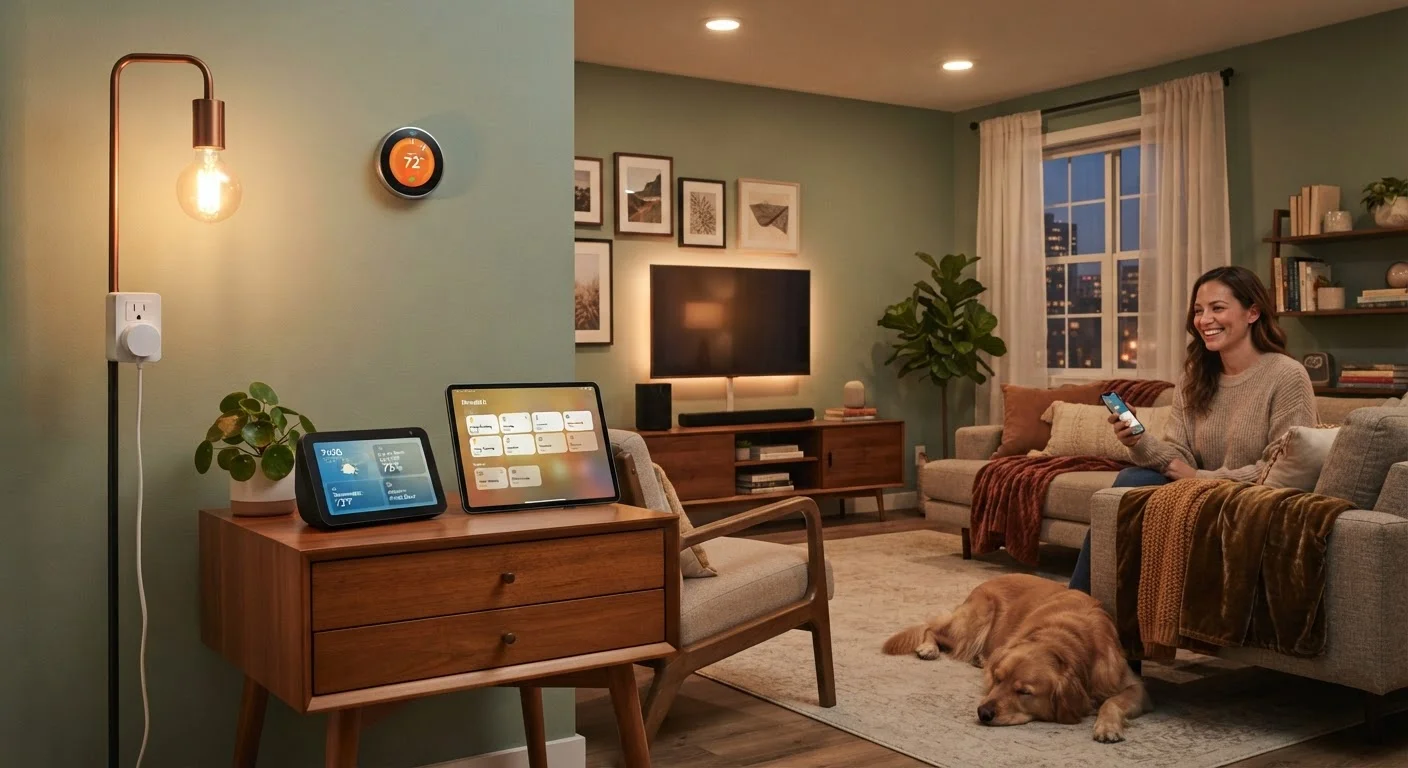
A cozy living room featuring a smart home hub, connected smart lights, and a wall-mounted thermostat

Key Takeaways

Audit your Wi-Fi coverage before purchasing any smart device — dead zones will undermine every room.
Choosing one ecosystem (or a hub that bridges multiple) prevents app overload and compatibility frustrations.
Install devices in a logical order: network and hub first, then high-impact rooms, then extras.
Electrical and wiring checks are essential before adding smart switches or hardwired devices.
Each room has different automation priorities — map your real pain points before spending anything.
30–60 min

Summary

28 items · 30–60 minutes

Why Room-by-Room Planning Saves You Money and Headaches

Smart home devices are genuinely useful — when they work together. The problem is that most people add them one impulse buy at a time, ending up with four different apps, unreliable automations, and devices that don't talk to each other. A little upfront planning is the difference between a home that feels effortlessly connected and one that's a source of daily frustration.

This checklist walks you through each area of your home systematically — network first, then room by room — so you install things in a logical order, catch wiring or compatibility issues before they cost you, and end up with a setup you'll actually use. If you're starting from scratch, the beginner's guide to building your first smart home is a good companion read alongside this checklist.

Lock In Your Ecosystem Before Buying Anything

One of the most expensive smart home mistakes is buying devices impulsively across incompatible platforms. Before purchasing a single gadget, decide which ecosystem — or which hub — will tie everything together. Switching ecosystems later often means replacing devices you already paid for. Take 20 minutes with a sketch pad and this checklist before spending a dollar.

Use the tool cards below to gather what you'll need before working through each room section.

Required

Wi-Fi Signal Strength App

Measure signal quality in each room to identify dead zones before placing devices.

Required

Non-Contact Voltage Tester

Safely verify whether power is live at a switch or outlet before working on wiring for smart switches.

Required

Smart Home Ecosystem App

Plan and manage device groupings, routines, and automations from a central platform.

Required

Floor Plan Sketch (Paper or App)

Map out device placements room by room to spot gaps and avoid redundant purchases.

Optional

Smart Home Hub or Bridge

Connect devices across different protocols (Zigbee, Z-Wave, Wi-Fi) into a single control system.

Optional

Mesh Wi-Fi System

Extend reliable Wi-Fi coverage to every corner of your home, especially in larger or multi-story spaces.

How to Work Through the Checklist

Start with the Network & Foundation group — no room-level device will perform well if your Wi-Fi is spotty or your ecosystem choice is still up in the air. Once that foundation is solid, move through rooms in the order that matches your highest everyday pain points. Not sure which devices address real friction versus novelty? The room-by-room smart device guide breaks that down in detail.

For each room, mark items as must, should, or nice to have based on your actual lifestyle — a single person working from home has very different priorities than a family with young children. Completing the checklist in order also surfaces electrical and safety issues early, before a device is already mounted on your wall.

Neutral Wire Required for Most Smart Switches

Many smart light switches require a neutral wire to function, which is not present in all older American homes. Before purchasing any smart switch, turn off the breaker and carefully inspect the wiring in your wall box. If you are unsure, consult a licensed electrician — incorrect wiring can create a fire hazard or damage your devices.

Check Local Camera and Recording Laws

Laws around video surveillance vary by state and municipality. Pointing outdoor cameras toward a neighbor's property or a public sidewalk may create legal exposure depending on where you live. Always check your local regulations and HOA rules before mounting any recording device.

Network & Foundation

Test Wi-Fi signal strength in every room you plan to automate using your phone or a free signal-checker app. Must
Identify dead zones and decide whether you need a mesh network system or a Wi-Fi extender before buying devices. Must
Confirm your router supports the frequency bands (2.4 GHz and/or 5 GHz) that your planned devices require. Must
Decide which smart home ecosystem or voice assistant platform you will anchor your setup around. Must
Consider a dedicated smart home hub if you plan to mix brands or use protocols like Zigbee or Z-Wave. Should

Entryway & Front Door

Check whether your existing deadbolt is compatible with a smart lock retrofit kit or requires full replacement. Must
Confirm your door frame and Wi-Fi or Bluetooth signal reach the entry point before purchasing a video doorbell. Must
Plan how entry automations (lights, locks, alerts) will notify household members without disturbing neighbors. Should

Living Room & Common Areas

Identify which lamps or ceiling fixtures you want to automate and confirm bulb type compatibility. Must
Check that any smart switches you plan to use have a neutral wire available in the wall box — many older homes do not. Must
Map out where a smart speaker or display would be most used and test ambient noise levels that could affect voice recognition. Should
List any entertainment devices you want to control with smart plugs or universal remotes and verify protocol support. Nice to have

Kitchen

Note which small appliances (coffee maker, kettle) would genuinely benefit from scheduled smart plugs versus those you use ad hoc. Should
Check whether your range hood, dishwasher, or refrigerator supports smart integration before assuming compatibility. Should
Plan outlet placement for smart plugs so cords do not create safety hazards near water or heat sources. Must

Bedrooms

Decide on automation priorities per bedroom — sleep schedules, wake-up lighting, or temperature — before selecting devices. Must
Verify that smart bulbs or switches chosen for bedrooms support dimming at low levels without flickering. Should
Consider privacy settings carefully for any voice-activated device placed in a bedroom. Must
Add occupancy or door sensors to automate lights if you want hands-free control without replacing existing switches. Nice to have

Climate & Energy

Confirm your HVAC system is compatible with a smart thermostat — check wire count and system type before purchasing. Must
Review your electricity provider's time-of-use rates to understand whether scheduling appliances could reduce your bill. Should
Plan sensor placement for temperature and humidity monitors in rooms with comfort issues. Nice to have

Security & Safety

Create a map of exterior entry points and identify camera placement that avoids pointing at public rights-of-way or neighbors' property. Must
Check local regulations or HOA rules regarding outdoor cameras and video recording before installing. Must
Test placement of smoke and carbon monoxide detectors before swapping to smart versions — existing placement may not be optimal. Must
Set up a separate guest or IoT Wi-Fi network to isolate smart devices from your primary computers and phones. Should

For a deeper look at privacy settings, hub requirements, and ecosystem lock-in — the details that trip up even careful buyers — work through the pre-purchase smart device checklist before you place any orders. And if energy efficiency is a goal alongside automation, the seasonal home efficiency checklist pairs well with the climate and energy section above.

Everyday Tech Editorial Team is the collective byline for our editorial team and contributor network. Articles published under this byline or an editorial pen name are researched, written, and reviewed according to our editorial standards for clarity, consistency, and independence before publication.

View all articles by Everyday Tech Editorial Team →
Disclaimer: The content provided on our blog site traverses numerous categories, offering readers valuable and practical information. Readers can use the editorial team’s research and data to gain more insights into their topics of interest. However, they are requested not to treat the articles as conclusive. The website team cannot be held responsible for differences in data or inaccuracies found across other platforms. Please also note that the site might also miss out on various schemes and offers available that the readers may find more beneficial than the ones we cover.