

Key Takeaways
Start here
What 'Smart Home' Actually Means
Next
Where to Start: Your First Three Devices
Then
Ecosystems and Compatibility: The Piece Most Beginners Miss
When you're ready
Realistic Expectations: What Smart Devices Do and Don't Do
Final step
Building Out Over Time
What 'Smart Home' Actually Means
A smart home is simply a home where certain devices — lights, thermostats, locks, speakers, cameras — can be controlled remotely or programmed to respond automatically to triggers like time of day, your location, or sensor data. The word smart can sound intimidating, but at its core it just means a device has a wireless connection and some form of software you can interact with.
You do not need a technology background to run one. If you can install a smartphone app, you already have the primary skill required. For a plain-English overview of the connected devices landscape, the Home Tech hub is a useful starting point.
Ecosystem
The software platform (and associated voice assistant or app) that lets your smart devices communicate with each other and be controlled from a single place.
Smart plug
An adapter that plugs into a standard electrical outlet and gives any ordinary appliance remote control and scheduling capability via an app.
Matter
An open smart home standard designed to let devices from different manufacturers work together without brand-specific compatibility workarounds.
Automation
A programmed rule that tells a smart device to perform an action automatically when a specific condition — time, sensor reading, or location — is met.
Hub
A central device that connects and coordinates smart home devices, especially useful when devices use different wireless protocols like Zigbee or Z-Wave.
Firmware
The built-in software that runs on a smart device. Keeping it updated helps maintain performance and closes security vulnerabilities.
Where to Start: Your First Three Devices
The most common beginner mistake is buying too many devices at once before understanding how they fit into daily life. A smarter approach: pick two or three devices that solve friction you already feel every day.
Three categories earn their place in nearly every first setup:
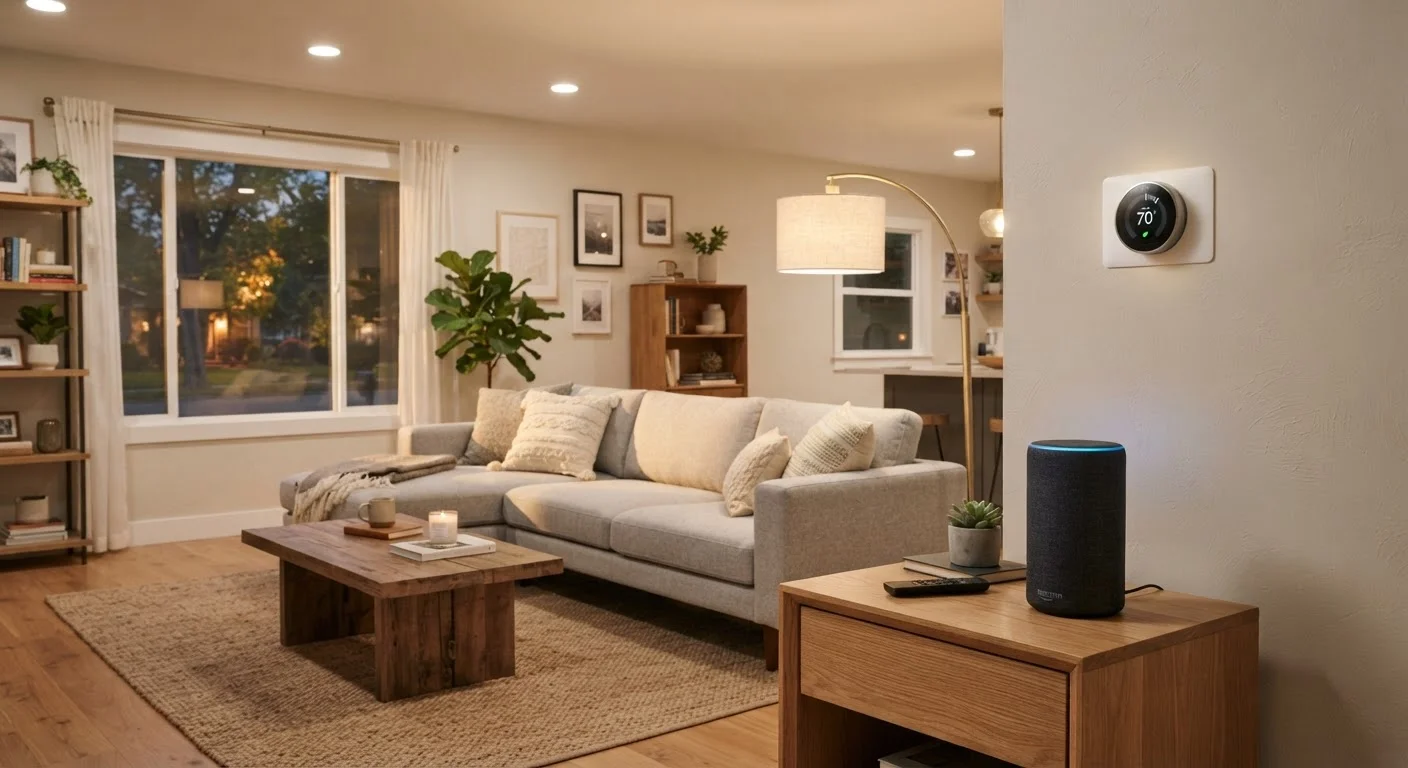
- Smart speaker or display. These serve as a voice-controlled hub for searching, setting timers, controlling other smart devices, and building early automation habits. They are low-cost entry points that work well standalone.
- Smart plug. Plug any ordinary lamp or appliance into a smart plug and it becomes schedulable and remotely controllable. No wiring, no tools. This is the single lowest-friction smart device available.
- Smart thermostat. Controlling heating and cooling on a schedule — or from your phone when you leave unexpectedly — is one of the clearest quality-of-life improvements a smart device can deliver. Installation typically requires turning off power at the breaker and following color-coded wiring instructions; if that feels uncertain, an HVAC technician can handle it in under an hour.
Once you are comfortable with these, consider what genuinely bothers you about your home routine. For a room-by-room look at which devices address real friction, see Smart Devices Worth Considering Room by Room.
Ecosystems and Compatibility: The Piece Most Beginners Miss
An ecosystem is the platform — such as a voice assistant family or a smart home app — that ties your devices together. Devices within the same ecosystem can communicate with each other and be automated as a group. Devices outside that ecosystem may require separate apps and cannot always trigger each other.
Choosing an ecosystem early is one of the highest-leverage decisions you will make. You do not need to research every option in depth, but picking one and staying reasonably consistent with it will save you considerable frustration. The major US ecosystems each have strong device libraries, so the most practical question is: which smartphone platform do you already use, and which voice assistant do you prefer?
A newer standard called Matter aims to make devices from different brands interoperable by default. It is increasingly common on newly released devices and reduces — though does not yet eliminate — compatibility risk. When evaluating any device, check that it explicitly states compatibility with your chosen platform before purchasing.
For a deeper walk through planning and ecosystem decisions, The Complete Picture on Smart Home Living covers the full arc from first device to mature setup.
Realistic Expectations: What Smart Devices Do and Don't Do
Smart devices genuinely improve specific, narrow tasks — scheduling, remote access, and voice control chief among them. They do not transform a home overnight, and they are not maintenance-free. Apps update, devices occasionally drop off the network, and some features depend on cloud services that can change over time.
Energy savings are a frequent selling point, but the reality is nuanced. A smart thermostat used thoughtfully can reduce heating and cooling energy use, but results depend heavily on your existing habits and home insulation. Overstated expectations are a common source of disappointment. The article Home Automation Myths That Trip Up New Smart Home Owners separates realistic outcomes from popular misconceptions worth reading before you invest.
Test One Device Before Buying More
Before expanding your setup, live with your first device for two to four weeks. Notice whether you actually use it, whether it created any friction, and whether it connected reliably to your network. This short trial period will sharpen your judgment for every purchase that follows and save you from accumulating devices that gather dust.
Building Out Over Time
Once your first devices feel natural, automation is where a smart home's value compounds. An automation is simply a rule: when X happens, do Y. Lights that turn off when everyone leaves, a thermostat that adjusts at bedtime, a porch light that activates at sunset — these small automations reduce the mental load of managing a home.
To build automations logically, it helps to think in terms of rooms, routines, and triggers. The article Rooms, Routines, and Triggers provides a clear framework for anyone at any skill level. Before you expand to new rooms, the room-by-room planning checklist is a practical tool for mapping devices and avoiding duplicate or conflicting setups.
Security is another natural expansion area. DIY security systems have become significantly more accessible, and Setting Up a Home Security System Without Professional Installation walks through sensor placement and hub configuration in plain language.
The most important principle: add devices because they solve something real, not because the category sounds appealing. A smart home built around genuine daily friction will serve you far better than one assembled by a checklist.