

Key Takeaways
Why Smart Switch Wiring Goes Wrong More Often Than You'd Think
Smart switches promise convenience — voice control, scheduling, remote access — but they demand more from your wall wiring than a traditional toggle switch ever did. A conventional switch simply interrupts the hot (live) wire. A smart switch, by contrast, is a small computer that needs a constant supply of power to stay connected to your home network. That added complexity is where most DIY installations unravel.
Many homeowners assume swapping a standard switch for a smart one is as straightforward as changing a light bulb. The physical process looks similar, but the electrical requirements are meaningfully different. Understanding those differences before you open the wall box can save you hours of troubleshooting — and prevent a potentially dangerous situation.
If you're also weighing which approach suits your home, see our comparison of smart lighting versus smart switches before committing to hardware.
Installing a smart switch in a box with no neutral wire.
Why it happens: Older homes — particularly those wired before the 1980s — often used a "switch loop" that runs only a hot and a switched-hot wire to the switch location, omitting the neutral entirely. Buyers don't check before purchasing.
Confusing the line (incoming hot) wire with the load (outgoing hot) wire and wiring them in reverse.
Why it happens: Both wires are typically black, and without a wiring diagram or voltage tester it's easy to guess wrong. A standard switch doesn't care which is which; a smart switch does.
Skipping the ground wire connection or making a loose ground connection.
Why it happens: The ground wire often feels optional because the switch may appear to work without it. Some installers skip it when the wire is short or the terminal is awkward to reach.
Using a smart switch in a 3-way circuit without understanding the required wiring changes.
Why it happens: A 3-way setup — where two switches control one fixture — requires a traveler wire arrangement that doesn't translate directly to most smart switch installations. Homeowners apply the same logic as a single-pole swap and end up with a switch that won't function correctly.
Over-tightening or under-tightening wire connections at the terminals.
Why it happens: Wiring by feel rather than following torque guidance leads to connections that are either so tight the wire nicks or so loose the wire can arc. Both conditions can cause intermittent failures or heat buildup.
How to Verify Your Wiring Before You Buy Anything
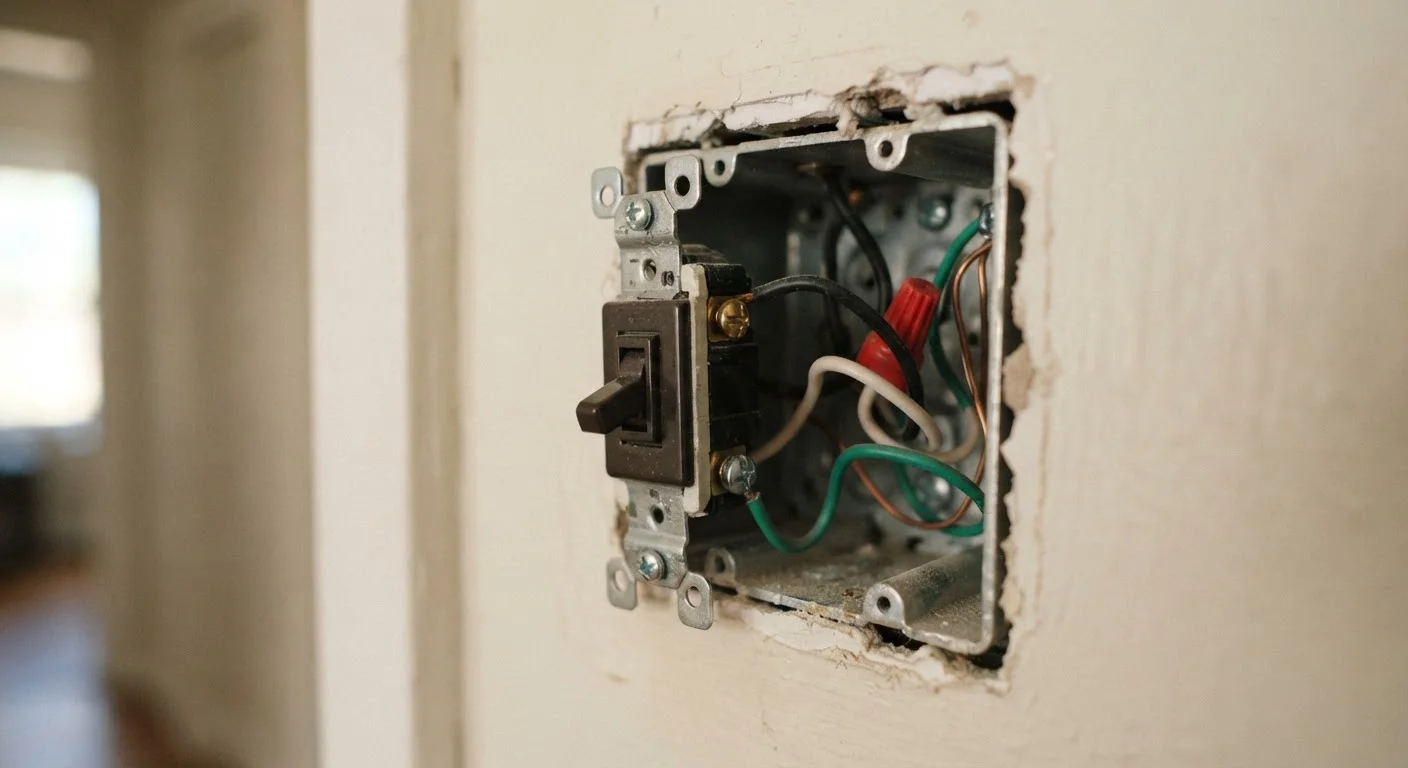
The single most useful step you can take is checking what wires are actually present in your existing switch box before purchasing any smart switch. Turn off the breaker controlling that circuit, then use a non-contact voltage tester to confirm power is truly off. Remove the switch cover and count the wires.
Look for a white wire that is connected directly to the switch — not just passing through in a bundle. That white wire acting as a neutral is what many smart switches require. If the only wires connecting to your current switch are a black (hot) and a bare copper or green (ground), you likely have a "switch loop" wiring configuration common in older homes, and you'll need to research no-neutral smart switch models or plan for a wiring upgrade.
Older properties present particular constraints worth understanding in detail — our article on smart devices in older homes outlines what to inspect before investing in any connected hardware. The same discipline applies to thermostat replacement; see what to know before touching thermostat wiring for a parallel perspective on pre-installation checks.
When Wiring Errors Show Up as Reliability Problems
Not every wiring mistake causes an immediate failure. Some errors produce intermittent symptoms that look like app bugs, Wi-Fi issues, or defective hardware. A switch that randomly goes offline, responds slowly, or loses its schedule is often suffering from a marginal wiring connection — a wire that isn't fully seated in its terminal, a ground that was skipped, or a neutral shared improperly across circuits.
These ghost problems frustrate homeowners who spend hours updating firmware or repositioning routers when the real fix is inside the wall box. If your smart home feels unreliable in ways you can't pin down, our guide on the hidden reasons your smart home feels unreliable walks through the most common culprits, many of which trace back to installation oversights.
For any wiring task that involves entering the breaker panel, working with aluminum wiring, or modifying circuits in ways that may require a permit, contact a licensed electrician. Electrical work that isn't up to local code can void homeowner's insurance coverage and create fire or shock hazards that aren't always visible until it's too late.
This article is for general informational purposes only and does not constitute electrical or professional installation advice. Always verify local code requirements and consult a licensed electrician for work beyond basic switch replacement.