

Key Takeaways
Option A
Smart Speaker
The compact, voice-first kitchen companion.
Best for: Cooks who primarily want hands-free control, timers, and music without a screen taking up counter space.
Option B
Smart Display
The screen-enhanced hub for visual and voice tasks.
Best for: Home cooks who want step-by-step recipe guidance, video calls, and a glanceable dashboard alongside voice control.
If you cook intuitively and mainly want hands-free timers and music
Smart Speaker
A compact speaker handles voice commands efficiently without occupying much space or requiring you to glance at a screen.
If you regularly follow written or video recipes while cooking
Smart Display
A built-in screen lets you see step-by-step instructions, ingredient lists, and tutorial videos without touching your phone with messy hands.
If kitchen counter space is tight or a premium
Smart Speaker
Speakers have a much smaller physical footprint, leaving more room for prep work and appliances.
If you want to monitor a front-door camera or video call family from the kitchen
Smart Display
Only a display can show live camera feeds and support video calling — tasks that are simply impossible on an audio-only device.
If privacy is a major concern and you prefer minimal always-on hardware
Smart Speaker
Speakers lack cameras, removing one category of potential video-privacy risk from your kitchen entirely.
What Each Format Actually Does
Both smart speakers and smart displays respond to voice commands — setting timers, playing music, answering questions, and controlling compatible smart home devices. The core voice-assistant engine is functionally similar across the two formats. What separates them is the screen.
A smart speaker is audio-only. It hears you, speaks back, and can stream music or podcasts. In the kitchen, that means calling out a timer or asking for a unit conversion without lifting a finger — genuinely useful when your hands are covered in flour.
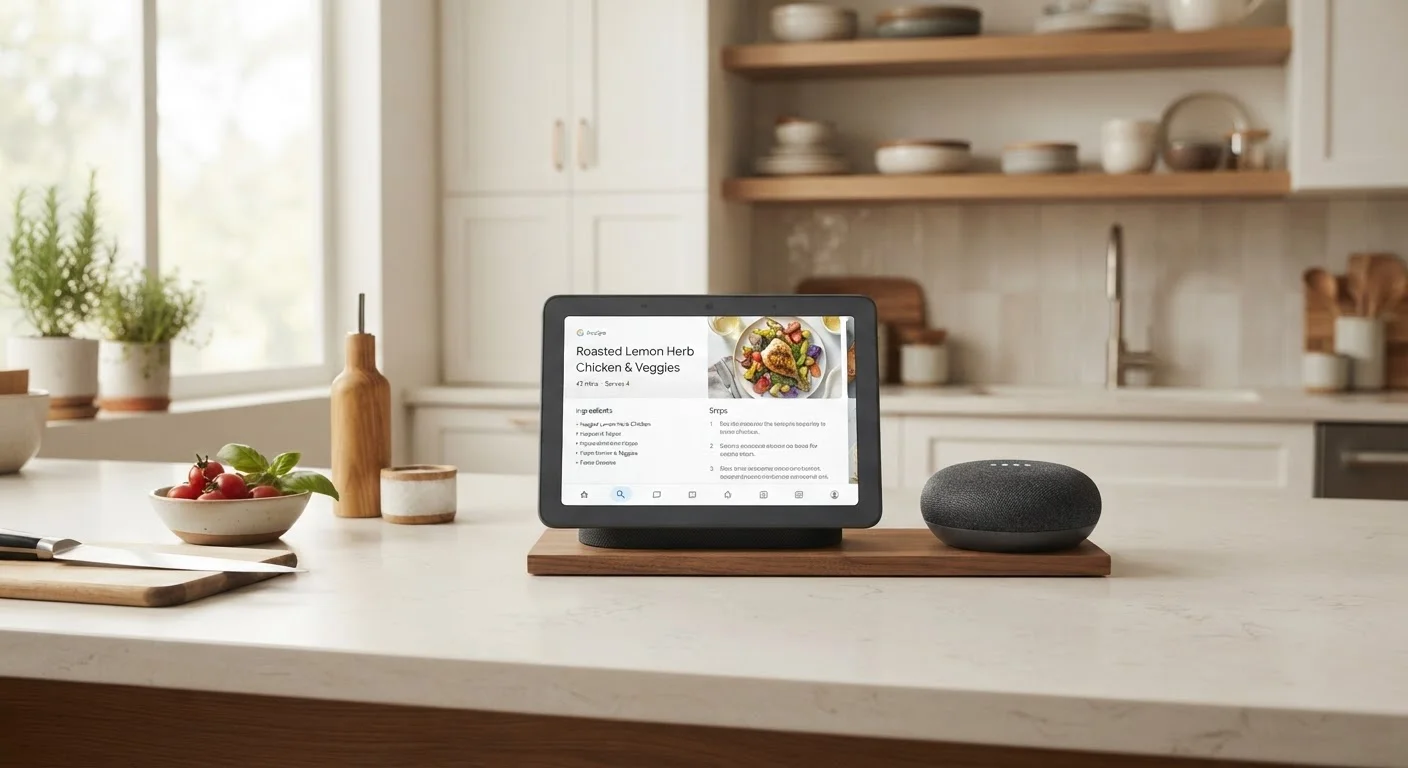
A smart display adds a touchscreen — typically ranging from five to ten inches — to all of that. You can tap through a recipe, watch a cooking tutorial, see a live feed from a doorbell camera, or video call a family member. The display can also show ambient information at a glance: weather, your calendar, or a shopping list.
For a broader look at how these devices fit into a connected home, see our full format comparison covering use cases beyond the kitchen.
Head-to-Head: Kitchen-Specific Criteria
The kitchen stress-tests both formats differently from other rooms. You need quick hands-free access, readable information at a distance, and durability near heat and moisture.
| Criterion | Smart Speaker | Smart Display |
|---|---|---|
| Voice control | Yes — core function | Yes — core function |
| Recipe display | No — audio prompts only | Yes — readable on screen |
| Video tutorials | No | Yes — streaming capable |
| Camera / video calls | No camera | Yes — front-facing camera |
| Counter footprint | Small | Medium to large |
| Typical price range | Lower | Higher |
| Privacy exposure | Microphone only | Microphone and camera |
| Glanceable info (weather, calendar) | No | Yes — ambient display mode |
Counter placement matters more here than in, say, a living room. A smart display needs a clear sightline — ideally at or near eye level — while a speaker can sit anywhere with reasonable acoustics. If your kitchen is small or already crowded, the speaker's smaller footprint is a practical advantage, not just an aesthetic one.
The Recipe Question: Where the Formats Diverge Most
The single biggest functional gap between the two formats in the kitchen is recipe guidance. When following a recipe by voice alone, you have to remember what was just said or ask the assistant to repeat steps — workable, but imperfect. A display lets you read each step at your own pace, scroll back without speaking, and see photographs of what a finished dish should look like.
If you regularly cook from new recipes — especially complex ones — this difference is significant. If you mostly cook from memory or repeat familiar dishes, the advantage largely disappears.
Video tutorials add another dimension. Some smart displays can stream cooking videos directly, letting you follow along with a visual demonstration. That's a capability with no equivalent on a speaker.
Our room-by-room device guide explores how different smart tools address real kitchen friction points beyond just speakers and displays.
Ecosystem Fit and Privacy Considerations
Both formats are anchored to a platform — primarily Amazon Alexa, Google Assistant, or Apple's ecosystem — and your existing smart home setup should influence which you choose. A household already invested in one platform's smart bulbs, locks, or thermostats will generally get smoother integration from a device on the same platform.
Platform Lock-In Is Real
Smart speakers and displays are designed to work within a specific ecosystem — Amazon, Google, or Apple — and switching later often means replacing the device entirely. Before choosing a format, consider which voice platform already matches your phone, smart TV, or other connected devices. Our smart home ecosystem guide can help you think this through.
Smart displays with front-facing cameras introduce a privacy variable that speakers don't. The camera enables video calling but also means a lens is pointed into your kitchen. Most displays include a physical shutter or mute switch for the camera and microphone, and understanding how to use those controls is worth doing before setup. If a camera in the kitchen feels like a meaningful concern for your household, a speaker sidesteps that entirely.
Before committing to either format, reviewing this pre-purchase checklist can help you catch compatibility or privacy details you might otherwise overlook. And if you're still mapping out which platform makes sense for your home overall, our ecosystem comparison covers how platform choice shapes what devices work together.