

Key Takeaways
Smartphone Storage
Smartphone storage refers to how your phone holds information — both temporarily while it's working and permanently for files you save. There are two main types built into the phone: RAM (short-term working memory) and internal storage (long-term file space). Cloud storage is a third option that keeps your files on remote servers instead of on the device itself.
RAM stands for Random Access Memory; internal storage is sometimes called ROM (Read-Only Memory) in older documentation, though modern phones use flash-based eMMC or UFS storage rather than true ROM.
RAM: Your Phone's Short-Term Working Memory
Think of RAM (Random Access Memory) as your phone's desk space. When you open an app — say, your browser or a social media feed — the phone loads it into RAM so it can work with it quickly. The more desk space you have, the more apps can stay open and ready without the phone having to reload them from scratch every time you switch.
When a phone listing says "6GB RAM" or "12GB RAM," it's telling you how much of this active workspace is available. A phone with more RAM tends to handle multitasking better: switching between a navigation app, a music player, and a messaging app without stuttering or reloading. When you close an app or restart your phone, everything in RAM is cleared — it's not meant to hold things permanently.
For most everyday users, somewhere between 6GB and 8GB of RAM is more than adequate. Power users who run demanding games or keep many apps open simultaneously may notice benefits from more. If you've ever heard that closing your apps saves battery, that's a common misconception — your phone manages RAM automatically. See how that myth holds up alongside other persistent phone misconceptions.
Check Available RAM Before You Buy
When comparing phones, look for the amount of RAM listed alongside internal storage — they're often shown together as "8GB + 128GB" or similar. If you frequently multitask between navigation, streaming, and communication apps, prioritizing RAM can noticeably improve your daily experience. Don't confuse the two numbers: higher isn't always better if it's in the wrong category for your actual pain point.
Internal Storage: Where Your Files Actually Live
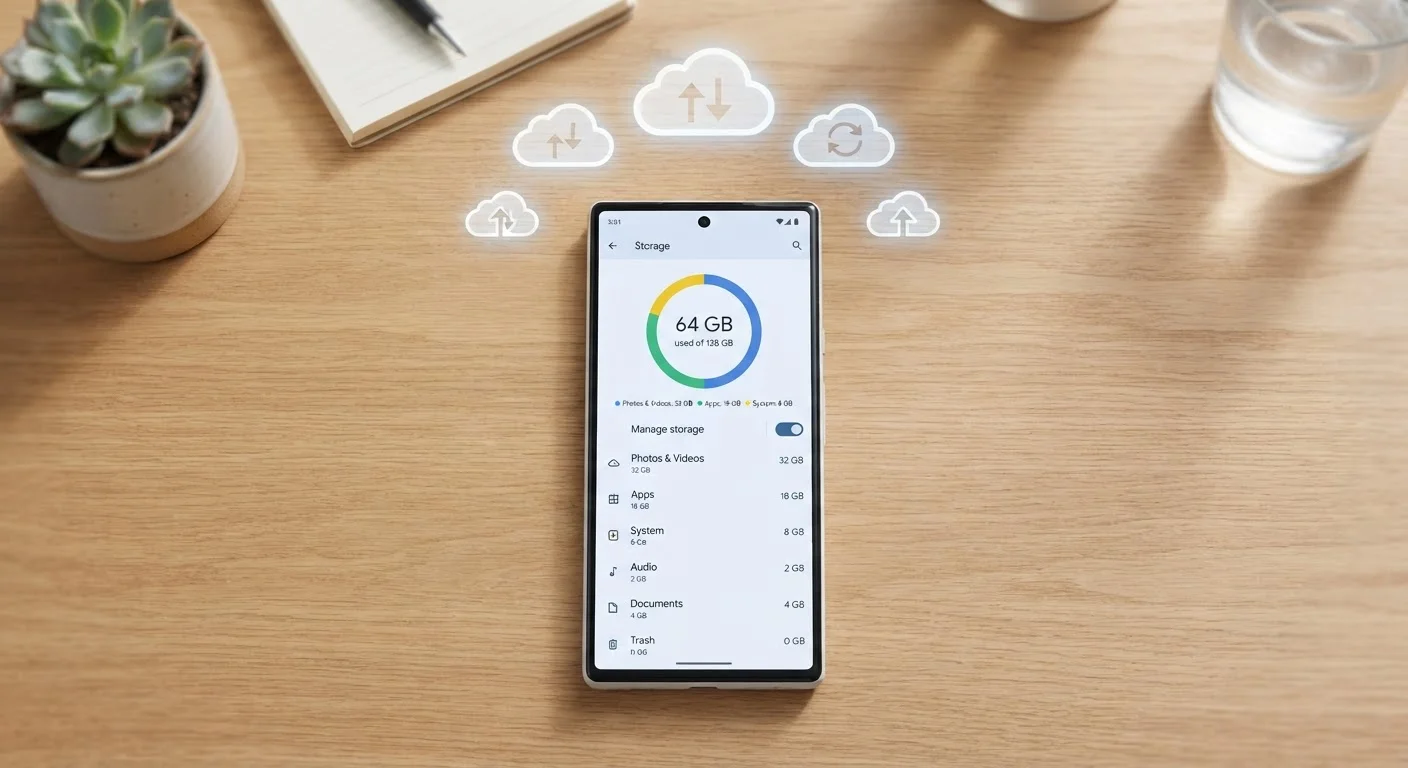
Internal storage — sometimes labeled as ROM in older phone listings — is your phone's long-term filing cabinet. This is where your photos, downloaded apps, music files, videos, and documents live permanently until you actively delete them. It has nothing to do with how many things your phone can do at once; it's purely about how much stuff it can hold.
Modern phones use fast flash-based storage (similar in principle to a USB drive, but much quicker). When you see "128GB" or "256GB" on a listing, that's the size of this cabinet. Keep in mind that the operating system and pre-installed apps take up a chunk of that space right away — a phone advertised at 128GB may show closer to 100GB available when you first turn it on.
Choosing how much internal storage you need comes down to habits. Do you take a lot of photos and videos? Do you download apps and games? Do you prefer to store music locally rather than stream it? If the answer to several of those is yes, leaning toward more storage makes practical sense. For a broader look at how these numbers fit into the overall spec sheet, this guide to reading phone specs covers the full picture.
~10–20%
Storage lost to OS and pre-installed apps
Consumer technology analysts generally estimate that the operating system and default apps consume roughly 10–20% of advertised internal storage on a new device.
64GB
Minimum storage for light smartphone users
Technology educators and consumer guides commonly cite 64GB as a reasonable baseline for users who rely heavily on streaming rather than local file storage.
Cloud Storage: Offloading to the Internet
Cloud storage works differently from both RAM and internal storage. Instead of saving files on the phone itself, your data is uploaded to remote servers and accessed over the internet. Services like iCloud, Google Photos, and similar platforms use this approach to let you access photos, documents, and backups across multiple devices.
The practical benefit is space relief: if your internal storage is filling up with photos and videos, moving them to the cloud frees room on the device without you having to delete anything. The trade-off is that you need an internet connection to access those files, and most cloud services offer only a limited amount of free storage before a monthly subscription is required.
Cloud storage doesn't affect RAM at all — it won't make apps run faster or smoother. It's purely a solution to the "I'm running out of space" problem. It's also worth noting that cloud backups are separate from cloud storage: a backup copies your settings and data so you can restore them if your phone is lost or replaced, while cloud storage is about accessing specific files on demand.
Curious how these storage concepts compare to what you'd see on a laptop? RAM, storage, and processor specs on laptops follow similar principles but with some important differences in how storage is expanded and managed.
Putting It All Together: What to Look For
When you're reading a phone listing, separate the three storage types in your mind. RAM governs the feel of day-to-day performance — how smoothly apps open and switch. Internal storage determines how much content you can keep on the device. Cloud storage is a supplemental option you can configure after purchase based on your actual needs.
A practical way to assess your needs: if you regularly run out of space on your current phone, prioritize more internal storage in your next one. If apps feel sluggish or reload constantly when switching, more RAM may help — though the processor and software version also play a role. If most of your concerns are around photos piling up, cloud backup might solve the problem without requiring a new device at all.
If you're newer to smartphones and want a foundation before diving into specs, this no-jargon starting point for first-time smartphone users walks through the essentials without assuming any prior knowledge. Storage specs make a lot more sense once you have a handle on how the device works overall.