

Key Takeaways
Option A
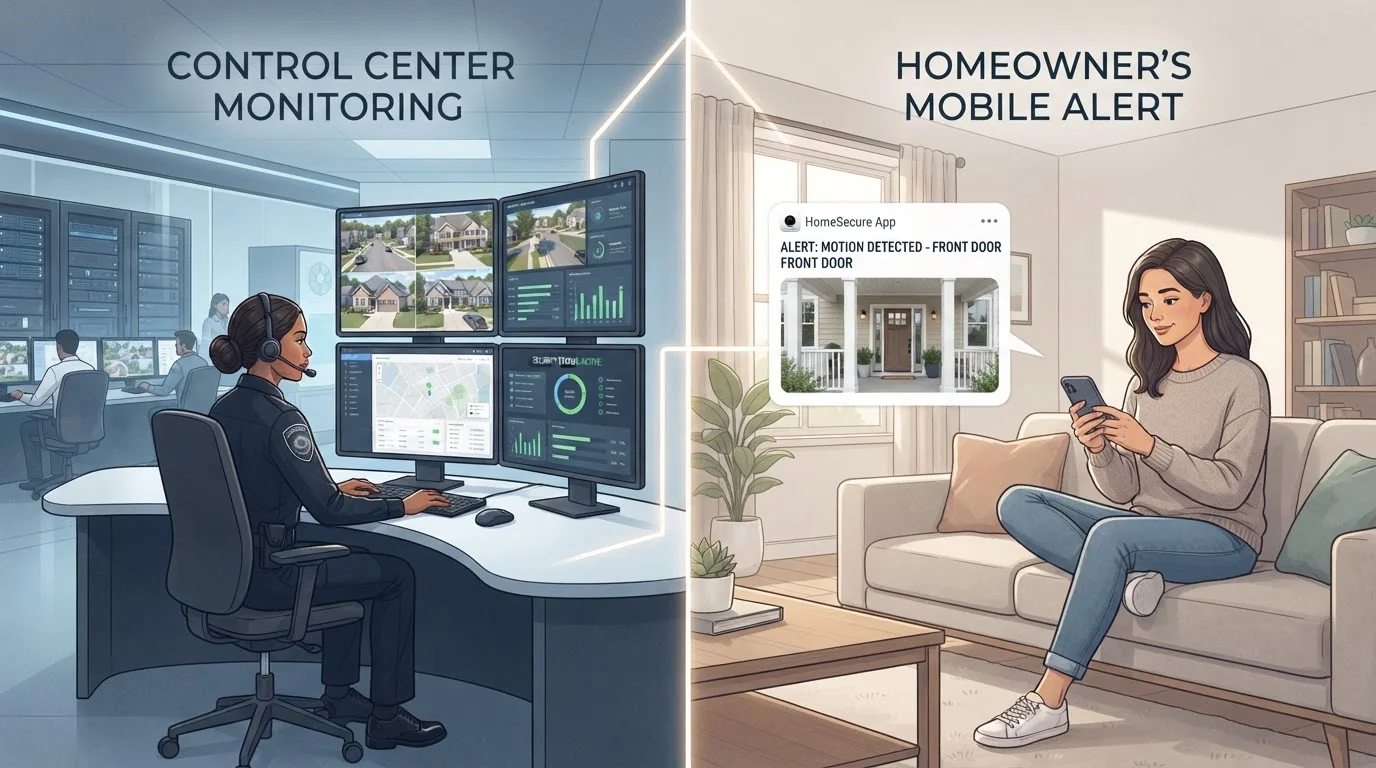
Professional Monitoring
The hands-off, always-on coverage option.
Best for: Homeowners who want automatic emergency dispatch without having to act on every alert themselves.
Option B
Self-Monitoring
The flexible, cost-conscious approach.
Best for: Homeowners who are reliably reachable, tech-comfortable, and want full control over how alerts are handled.
If you travel frequently or work long hours away from home
Professional Monitoring
When you can't reliably respond to alerts yourself, a monitoring center provides a critical safety net that ensures emergencies are escalated to local authorities without delay.
If you're consistently reachable and comfortable managing notifications
Self-Monitoring
If you check your phone regularly and can confidently assess and escalate alerts, self-monitoring delivers solid coverage without ongoing subscription costs.
If you live in an area with slower local emergency response times
Professional Monitoring
Monitoring centers maintain direct lines to dispatch services, which can shave valuable minutes off response time compared to a homeowner calling 911 after the fact.
If you prioritise data privacy and minimal third-party access to your system
Self-Monitoring
Self-monitored systems typically share less data with external parties, giving you greater control over who can see your camera feeds and alert history.
What Professional Monitoring Actually Does
When a sensor triggers on a professionally monitored system, the alert doesn't just go to your phone — it goes simultaneously to a staffed monitoring center operating around the clock. Trained agents verify the alarm (often by attempting to contact you first), then dispatch police, fire, or EMS if they can't confirm it's a false alarm or if the situation calls for immediate response.
This automatic escalation is the core value proposition. If you're asleep, in a meeting, or in an area with no cell signal, someone is still acting on your behalf. For households where occupants aren't reliably reachable — frequent travelers, people with demanding jobs, or those who want a true set-and-forget layer of protection — that redundancy is genuinely meaningful.
Professional monitoring also typically includes a dedicated alarm communication line (sometimes called a cellular backup) so the system can reach the monitoring center even if your internet goes down. That's a real-world advantage worth understanding. For a broader look at how monitoring fits into the overall security picture, see our complete guide to home security systems.
What Self-Monitoring Actually Means in Practice
Self-monitoring places every decision squarely on you. When a sensor trips, an alert arrives on your smartphone — and then it's up to you to review a camera clip, decide whether it's a real threat, and call 911 yourself if needed. There's no intermediary.
This works well when it works. If you're someone who consistently carries their phone, responds quickly to notifications, and has a calm, practiced response to alerts, self-monitoring can be just as effective as professional oversight in many scenarios. The key word is consistently. One missed notification during a dinner, a dead phone battery, or a delayed response because you assumed it was the dog can significantly change the outcome.
Self-monitoring is also a strong fit for renters or homeowners who want flexibility — many self-monitored systems require no contracts, are easier to take with you when you move, and integrate cleanly with smart home platforms. If you're setting up a system from scratch, our DIY setup walkthrough covers sensor placement and hub configuration in practical detail.
| Criterion | Professional Monitoring | Self-Monitoring |
|---|---|---|
| Emergency dispatch | Automatic via monitoring center | Manual — you call 911 |
| Ongoing cost | Monthly subscription required | No recurring fee (typically) |
| Response if you're unreachable | Monitoring center acts independently | No action taken automatically |
| False alarm risk | Higher (dispatch can occur without confirmation) | Lower (you verify before calling) |
| Contract flexibility | Often requires multi-year contract | Typically no contract |
| Data privacy | Third party accesses alert data | Data stays with you |
| Works during internet outage | Often yes (cellular backup common) | Depends on system; often limited |
Costs Beyond the Monthly Fee
The monthly monitoring fee — typically anywhere from $10 to $60 depending on the plan and provider — is just the starting point. Several secondary costs are worth factoring in before choosing.
False alarm fees: Many US cities charge homeowners when police or fire respond to a false alarm. With professional monitoring, the risk of a dispatched response to a false trigger is higher simply because the system can act without you confirming first. Some jurisdictions require alarm permits as well, which carry their own annual fees.
Equipment lock-in: Some professionally monitored systems use proprietary hardware that only works with their service. If you cancel the monitoring plan, the equipment may become partially or fully non-functional. Self-monitored systems tend to use more open standards.
Contract terms: Multi-year monitoring contracts are still common in the industry. Early termination can carry significant fees, so read terms carefully before signing. For a related look at hardware trade-offs, see wired vs. wireless security trade-offs.
Check Local Permit Requirements First
Many US municipalities require homeowners to register monitored alarm systems with local law enforcement and pay an annual permit fee. Operating without a permit in a jurisdiction that requires one can result in fines or refusal of police response to alarm calls. Requirements vary significantly by city and county, so check with your local government before activating any monitored system.
The Factors Most Homeowners Overlook
Two areas tend to get underweighted in the professional vs. self-monitoring debate: response verification and alert fatigue.
Response verification: Professional monitoring centers typically use a verification protocol — they'll try to call you, check for a duress code, or review a video clip before dispatching. This helps reduce false dispatches but also means there's a short delay built into the process. That delay is usually measured in seconds to a couple of minutes, but it's worth understanding that monitoring is not truly instantaneous.
Alert fatigue: Self-monitoring can generate a high volume of notifications, especially from motion-sensitive cameras. Research in home security usability consistently finds that homeowners tend to become desensitized to frequent alerts over time — dismissing them more quickly, checking them less carefully, or silencing them altogether. A professionally monitored system doesn't suffer from this problem in the same way, since the burden of triage sits with the monitoring center, not you.
Understanding both issues helps set realistic expectations regardless of which path you choose. For more on the camera side of the equation, our home security camera trade-offs guide walks through what to consider before installing any camera.