

Key Takeaways
Option A
Wired Home Security
The dependable, infrastructure-anchored approach.
Best for: Homeowners building or renovating who want a stable, interference-resistant system that doesn't depend on batteries or Wi-Fi.
Option B
Wireless Home Security
The flexible, renter-friendly modern alternative.
Best for: Renters, owners of older homes, or anyone who wants a DIY-installable system that can move or expand without rewiring.
If you're building a new home or undergoing a major renovation
Wired Home Security
Running cables during construction is far less disruptive and costly than retrofitting later. You'll get a stable, low-maintenance backbone for your security setup.
If you're renting or plan to move within a few years
Wireless Home Security
Wireless sensors mount without drilling into walls and can be taken with you when you leave, making them the practical choice for non-permanent living situations.
If your home has thick concrete, brick, or plaster walls
Wired Home Security
Dense building materials can significantly weaken wireless signals between sensors and the hub. A hardwired system sidesteps this limitation entirely.
If you want to expand your system gradually over time
Wireless Home Security
Adding new wireless sensors or cameras is typically as simple as pairing a device — no additional wiring runs or contractor visits required.
If minimizing ongoing maintenance is a priority
Wired Home Security
Once installed, wired systems have no batteries to replace and fewer components that need periodic attention, reducing long-term upkeep demands.
How Each System Actually Works
Understanding the core mechanics of each approach makes the trade-offs much clearer before you commit to anything.
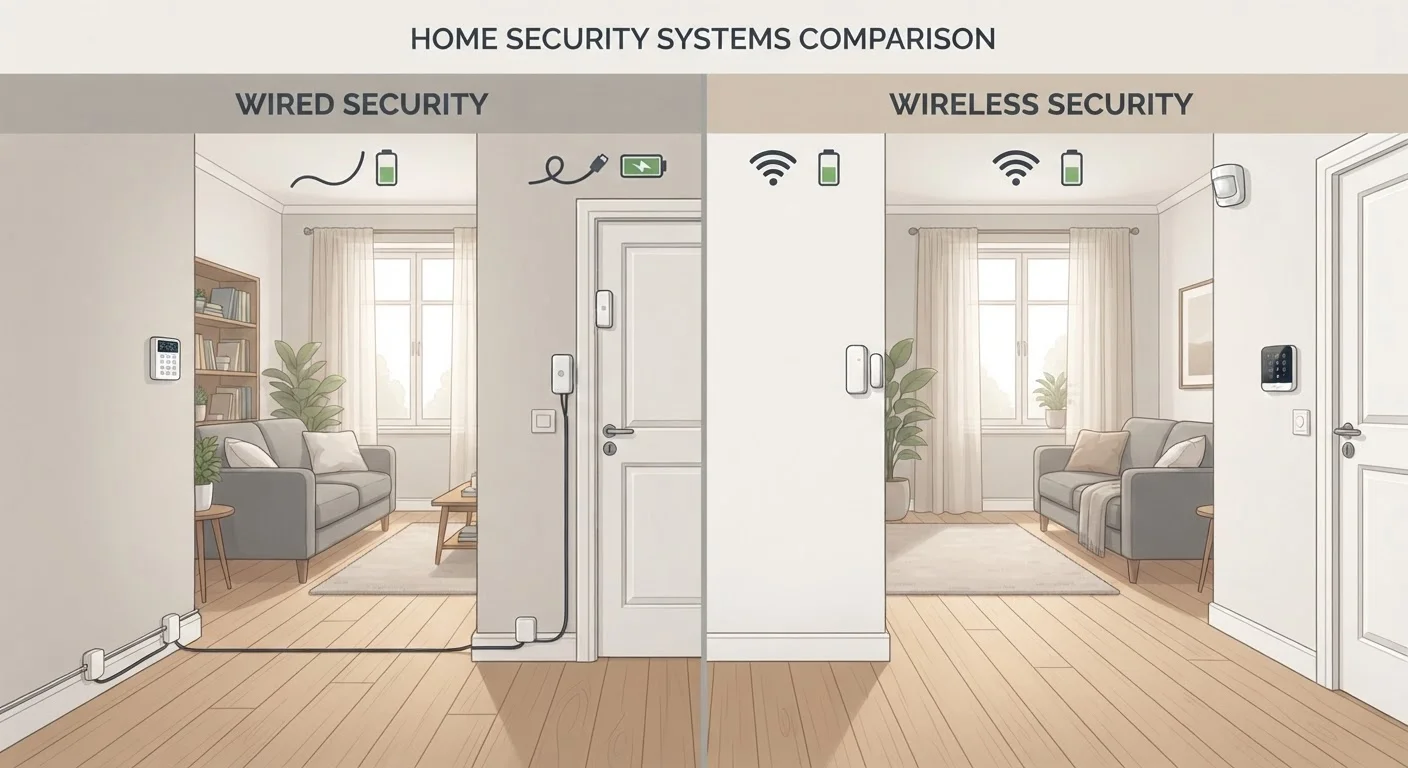
Wired systems connect sensors — on doors, windows, and motion zones — to a central control panel via physical cables, typically running through walls, floors, or ceilings. The panel communicates with any sirens, keypads, or monitoring services over these hardwired connections. Because signals travel through copper rather than radio frequencies, they're not affected by Wi-Fi congestion, neighboring device interference, or battery depletion.
Wireless systems use radio frequencies — most commonly Z-Wave, Zigbee, or Wi-Fi — to transmit signals between sensors and a hub or base station. Each sensor runs on batteries (though some plug in), and the hub typically connects to your internet router to enable remote access, smartphone alerts, and professional monitoring. For a fuller look at how wireless connectivity decisions ripple across your home, see our wired vs. wireless smart devices guide.
| Criterion | Wired Home Security | Wireless Home Security |
|---|---|---|
| Installation complexity | High — typically requires a professional | Low to moderate — largely DIY-friendly |
| Signal reliability | Very high — no interference or battery issues | Good — depends on Wi-Fi and battery health |
| Portability | Not portable — fixed to structure | Portable — can relocate with you |
| Ongoing maintenance | Minimal after installation | Periodic battery replacement required |
| Expandability | Requires additional wiring runs | Easy — pair new devices to existing hub |
| Smart home integration | Possible but may need extra hardware | Generally built-in or straightforward |
| Best home type | New builds or major renovations | Existing homes, rentals, older structures |
Installation: The Practical Reality for Most Homeowners
Installation is often where the decision gets made — because the work involved is not equal between the two options.
Wired systems almost always require a licensed installer. Running cable through finished walls means drilling, fishing wire through insulation, and potentially opening drywall. In older homes with knob-and-tube wiring, plaster walls, or limited attic access, this work becomes significantly more complex. Our guide on smart devices in older homes covers the specific structural constraints worth checking before any wiring project.
Wireless systems, by contrast, are largely DIY-friendly. Most sensors attach with adhesive strips or a couple of small screws, and pairing them to a hub typically takes a few minutes per device. That said, ease of installation doesn't mean zero effort — you'll still need to plan sensor placement carefully to avoid dead zones and ensure coverage of all entry points.
One practical note: if your wireless hub depends entirely on your home's internet connection, a router outage could affect remote access. Router placement plays a real role here — see why router placement matters for guidance on signal coverage.
Reliability, Vulnerabilities, and Long-Term Maintenance
Both system types have genuine vulnerabilities — and honest awareness of them helps you plan mitigation strategies.
Wired systems are immune to radio jamming and Wi-Fi outages, which are real (if relatively uncommon) attack vectors for wireless systems. However, they can be defeated if a burglar cuts phone lines or, in older systems, the main power line — which is why battery backup and cellular communication modules are standard additions in professional installations.
Wireless systems can theoretically be disrupted by signal jamming devices, though modern systems increasingly include jam-detection alerts. More day-to-day, battery management is an ongoing task: sensors typically need fresh batteries every one to three years depending on usage, and a depleted sensor that goes unnoticed creates a gap in coverage.
Power Outages Affect Both System Types
Wired systems lose power if your home's electricity goes out unless a battery backup is installed at the control panel. Wireless hubs face the same vulnerability if they're plugged into a wall outlet. When evaluating any system, ask specifically about backup power duration and whether cellular communication (rather than broadband) is used as a fallback — this keeps the system reporting even when your internet is down.
For homeowners weighing whether professional monitoring adds meaningful value on top of either system type, our comparison of professional vs. self-monitored security walks through what actually changes beyond the monthly cost. You can also explore the broader question of local alarms vs. monitored alerts if you're still deciding on monitoring at all.
Smart Home Integration and Expandability
If you already use or plan to build a broader smart home setup, your security system's connectivity matters beyond just alarms.
Wireless security systems generally integrate more easily with smart home platforms — most are designed with app control, voice assistant compatibility, and automation triggers in mind from the ground up. Adding a smart lock, a video doorbell, or indoor cameras to a wireless ecosystem is usually straightforward. For context on what that integration actually involves, our article on integrating security into a smart home outlines where things tend to work smoothly and where friction appears.
Wired systems can integrate with smart home platforms, but it typically requires more planning and may depend on whether your panel supports modern communication protocols. Some homeowners opt for a hybrid approach — a hardwired backbone for core sensors on doors and windows, with wireless cameras or supplemental sensors added where running cable isn't practical.
For camera-specific decisions that often arise alongside this choice, matching camera types to location and understanding camera trade-offs before you install are useful next reads. For the complete picture on system types and setup, see everything homeowners need to know about home security systems.