

Key Takeaways
Option A
Wired Smart Devices
The reliable, infrastructure-dependent option.
Best for: Homeowners undertaking renovations or new builds who want rock-solid, always-on connectivity.
Option B
Wireless Smart Devices
The flexible, retrofit-friendly alternative.
Best for: Renters and existing homeowners who want smart features without running new cables.
If you're building new or doing a major renovation
Wired Smart Devices
Running cables during construction is far cheaper and easier than retrofitting later, and wired systems eliminate many of the long-term maintenance headaches wireless devices introduce.
If you're renting or don't want to alter your home's structure
Wireless Smart Devices
Wireless devices can be installed, moved, and removed without permits or structural changes, making them practical for temporary or renter-friendly setups.
If reliability is your top priority — especially for security
Wired Smart Devices
Wired security cameras and sensors aren't subject to Wi-Fi outages, interference, or battery failure, providing more dependable coverage over time.
If you want to start small and expand gradually
Wireless Smart Devices
Wireless ecosystems are modular by nature, letting you add devices one at a time without committing to a whole-home infrastructure plan upfront.
What Actually Separates Wired from Wireless Smart Devices
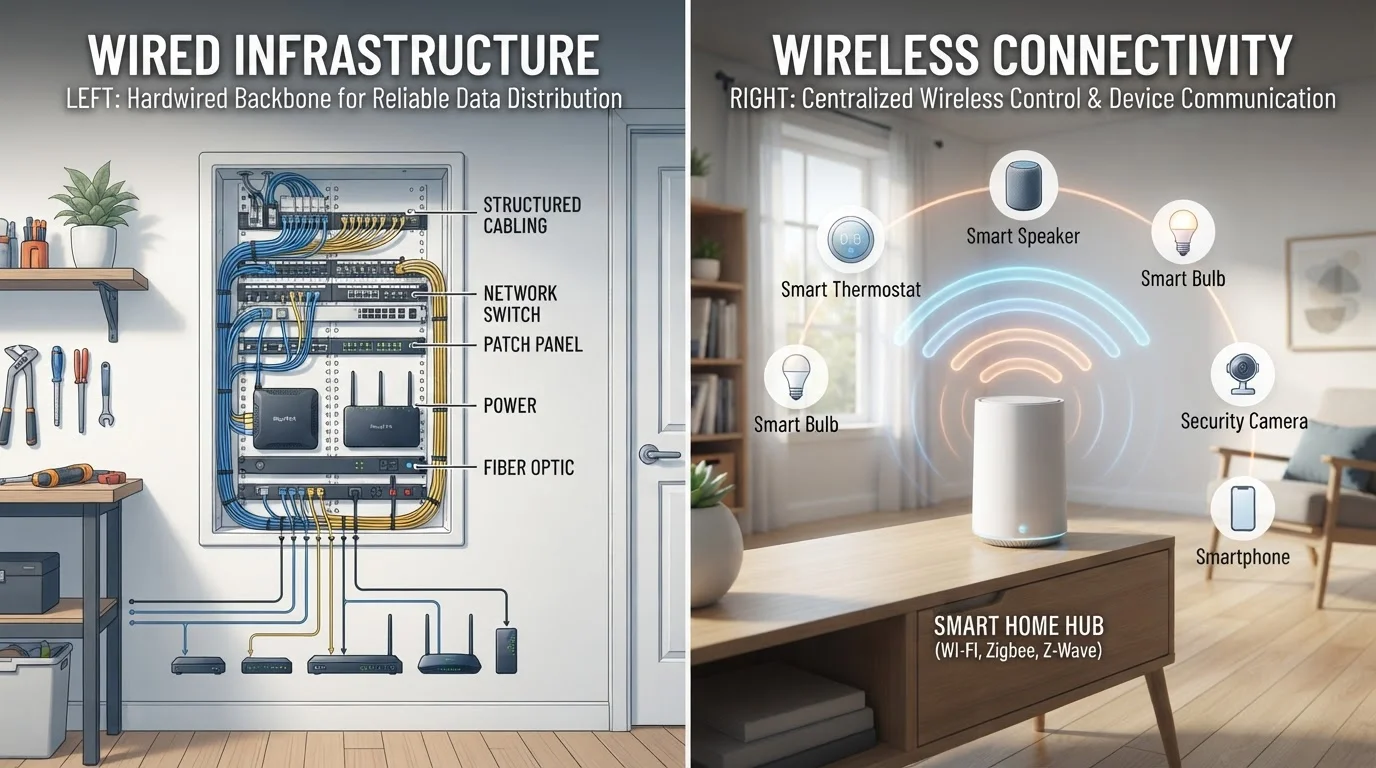
The distinction seems obvious at first — one uses cables, the other doesn't — but the real differences run deeper than physical connections. Wired smart devices communicate over dedicated lines: ethernet, low-voltage control wiring, or in-wall speaker and sensor cables. Wireless devices use radio frequency protocols to send data through the air, whether that's Wi-Fi, Zigbee, Z-Wave, or the newer Thread standard. If you want to understand how those wireless protocols compare, our guide to wireless smart home protocols breaks down each option clearly.
The choice affects far more than installation day. It shapes how your devices behave during internet outages, how often you'll need to perform maintenance, and how much flexibility you'll have if your needs change. Neither wired nor wireless is the default right answer — both involve real trade-offs that depend on your home, your lifestyle, and how permanent your plans are.
The Case for Wired: Stability, Speed, and Long-Term Reliability
Wired smart devices earn their reputation for dependability because they aren't competing for airspace with a dozen other signals. A hardwired security camera or smart switch sends data over a dedicated path, which means lower latency, consistent response times, and no interference from neighboring networks or household appliances.
Power is another advantage. Most wired devices draw from your home's electrical system, so there are no batteries to replace and no risk of a sensor going offline because a AA battery died at 2 a.m. For security applications especially, this matters: wired home security systems are harder to jam and less vulnerable to signal disruption than their wireless counterparts.
The trade-off is installation. Running new wiring through finished walls requires planning, sometimes permits, and often a licensed electrician. If you're in an older home, hidden obstacles like knob-and-tube wiring or absent neutral wires can complicate things significantly — a subject worth understanding before committing. Before assuming any wiring project is a weekend DIY task, be aware that electrical work in your walls typically requires permits and should be handled by a qualified professional.
| Criterion | Wired Smart Devices | Wireless Smart Devices |
|---|---|---|
| Installation complexity | High — often requires professional help | Low — typically DIY-friendly |
| Signal reliability | Very high — dedicated connection | Variable — depends on coverage |
| Power source | Hardwired — no battery changes | Battery or plug-in — ongoing upkeep |
| Flexibility / portability | Low — fixed in place | High — easy to move or remove |
| Suited for renters | Generally no | Yes, in most cases |
| Long-term maintenance | Minimal once installed | Ongoing battery and firmware care |
| Upfront cost | Higher — labor and materials | Lower — hardware only in most cases |
The Case for Wireless: Flexibility, Accessibility, and Easier Setup
Wireless smart devices have reshaped who can realistically adopt smart home technology. Without the need to run cables, nearly any homeowner — including renters — can add smart lighting, sensors, locks, or cameras in a single afternoon. That accessibility is a genuine advantage, not just a convenience.
Wireless also means relocatable. If your household layout changes, you can move a sensor to a new doorway or reposition a camera without any structural work. This flexibility makes wireless systems particularly well-suited for people who aren't sure exactly what they want yet, or who expect their needs to evolve.
The vulnerabilities are real, though. Wireless devices depend on signal coverage, and dead zones can cause devices to behave unpredictably. Where you place your Wi-Fi router affects every wireless device in your home, often more than people realize. Battery-powered wireless devices introduce an ongoing maintenance rhythm: you'll need to monitor charge levels and replace or recharge batteries periodically. And radio signals — while generally secure when properly configured — are a broader attack surface than a physical cable.
How to Think Through the Decision for Your Specific Home
Start with your home's age and structure. Older homes often present real constraints — insufficient wiring, narrow wall cavities, and missing electrical infrastructure that modern smart devices expect. Smart devices in older homes deserve their own research before you invest in any approach.
Next, consider permanence. If you're planning to stay in your home long-term and are open to moderate installation work, wired solutions often pay off over years of lower maintenance and stronger reliability. If you're renting, likely to move, or simply want to experiment before committing, wireless devices give you that latitude without permanent alterations.
Finally, think by device category rather than picking a single approach for your whole home. Many homeowners run wired connections to high-priority devices — security cameras, network access points, video doorbells — while using wireless for lower-stakes applications like smart bulbs or plug-in sensors. That hybrid approach often delivers the best of both worlds. For a broader look at planning a complete smart home setup, this complete guide to smart home planning covers ecosystem choices and installation fundamentals in depth.